
As with most things in computer technology, there are multiple types of display technology available. This post takes a look at those technologies, starting with legacy technologies and following through to the types of display device that we use today.
Legacy Display Technology
Legacy display technology includes Cathode Ray Tube (CRT) and Light Emitting Diode (LED) displays.
Cathode Ray Tube (CRT) Displays
- CRT displays make use of electron beams inside a vacuum in order to create images that are projected onto the inside of a fluorescent screen. There are three of the electron beams within a CRT, one for each of the primary colours (Red, Blue and Green), and these are manipulated in order to correctly display the images in the correct way.
- In the vast majority of cases, CRT displays are much heavier than their more modern counterparts, as well as being larger and ‘boxier’. This is down to the components required to build this type of display, especially the thick (black) glass that’s needed for the screen (which can be either curved or flat).
- CRT monitors have all but been completely phased out by the introduction of more modern LED, LCD or plasma screen technologies (see below). However, there may still be isolated occasions where a CRT monitor is still used.
 |
| A CRT from a legacy 14 inch monitor. |
Light Emitting Diode (LED) Displays
- LED displays use the same type of screen as LCD displays (see below) but make use of a different lighting technology to create the images on the screen. Instead of the cold cathode fluorescent lamps (CCFLs) used in LCD technology, LED devices use one of two types of LED as a back lighting source: Dynamic RGB (Red, Green, Blue) LEDs, which are located behind the panel of the monitor, or white edge-LEDs, which are located around the edge of the screen. The latter type make use of a diffusion panel to distribute the light evenly.
- Generally speaking, LED display devices are more expensive to purchase than LCD displays, but they require even less electricity to run.
 |
| An example of a very large LED display |
Present Display Technology
Liquid Crystal Display (LCD)
 |
| An LCD monitor with an integrated DVR (digital video recorder) |
- LCD flat-panel display devices are energy efficient, compact and lightweight displays. The screens work by having a grid pattern that’s composed of millions of liquid crystals. When power is applied to the grid, the crystals are able to twist and realign themselves in order to allow light to pass through in certain ways, thereby creating the images that we see on the screen.
- LCD monitors use cold cathode flourescent lamp (CCFL) or strips of LEDs to provide the back light source. CCFLs create a light source through the use of electrodes and mercury vapour, which create ultraviolet light. Compared to LED lights sources, CCFLs are heavier and more expensive. They also use more power, despite providing a lower brightness and have a shorter lifespan.
- LCD monitors typically use either In-Plane Switching (IPS) or Twisted Nematic (TN) technology. Between the two, TN has a faster response rate, higher brightness, are cheaper to manufacture and use less power. Historically, TN also has a better contrast and blacks than IPS, although improvements in IPS technology have now managed to overcome these limitations. IPS also has much less colour shift and distortion when viewed at an angle, when compared to TN.
- LCD technology has also made it possible to introduce touch screen technology, something that is a very common sight in our current day to day life.
- Virtual Reality (VR) gaming and special imaging needs have led to the development of VR goggles or glasses that can substitute to a normal LCD screen. The goggles may be comprised of one (which is viewed with both eyes) or two (one screen is viewed with each eye) small LCD monitors that are placed inside a headset. VR equipment has always been particularly expensive, when compared to other display devices of the same period. However, this is beginning to change and VR is rapidly becoming more affordable.
 |
| A concept LCD Head Up Display (HUD) device |
Organic Light Emitting Diode (OLED)
- OLED displays utilise exactly the same technology as normal LED displays with the exception that they use organic compounds, such as carbon or hydrogen, to emit light when they are subjected to an electric current.
- OLED screens can be used in wider variety of dimensions that normal LED screens and are already currently utilised in tv screens, laptop and computer monitors, tablets, hand held gaming devices and mobile phones.
- OLED is considered to be a ‘green’, or environmentally friendly, technology.
 |
| The Sony XEL – Worlds first OLED television |
Plasma
- Plasma displays use a flat panel of glass, combined with xonon and neon rays, in order to provide a visual experience with high brightness, contrast and very vibrant colours. Plasma displays, unlike LCD displays, can be viewed from any angle without distortion.
- Currently, plasma displays are only available in large sizes (typcially over 40 inches diagonal), which makes them fairly unsuitable as computer monitors. The technology used within also makes them incredibly heavy and cumbersome. As such, plasma technology is only marketed as a television technology in the current day.
- Earlier plasma displays were very susceptible to image ‘burn-in’, which is the permanent outline of images on the screen, caused by uneven aging of the phosphors. In their more current guise, image burn-in is much less common due to phosphors being faster and a lot more efficient than earlier incarnations. However, burn-in is still not impossible, even with the advances in plasma technology.
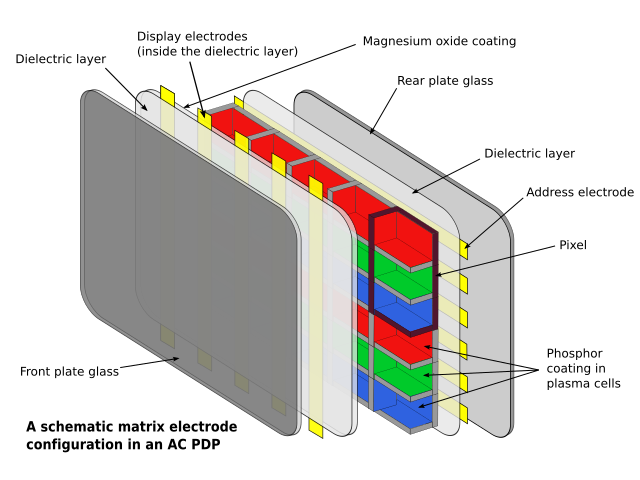 |
| Diagram of a plasma display |
Projectors
- Video projectors are most often used to display a computers video output onto a much larger ‘screen’ surface (such as canvas or a white board) so that a larger audience is able to view it.
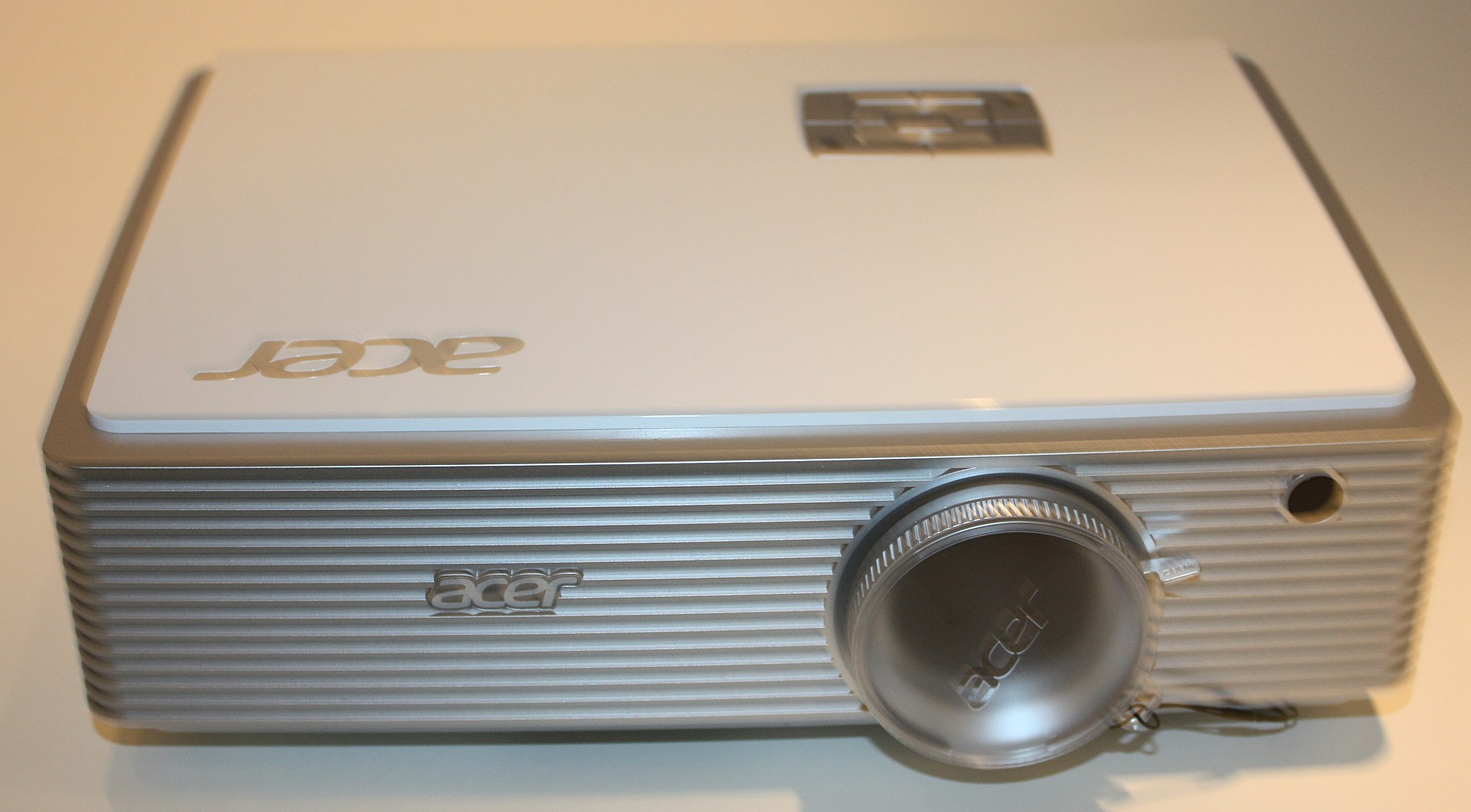 |
| An example of a projector – An Acer model from 2012 |







 SpenceTec UK