“GIMP is an acronym for GNU Image Manipulation Program. It is a freely distributed program for such tasks as photo retouching, image composition and image authoring.”
This is a great piece of image editing software that I’ve been using for years and has become a vital piece of my software armoury. With a feature set not unlike Adobe Photoshop (although Photoshop is more able in some respects), GIMP has the major advantage of being Open Source.
This not only means that it’s entirely free (and will always be) but that it also receives regular updates to provide new features and tweaks.
An overview of the different display device types and technology
As with most things in computer technology, there are multiple types of display technology available. This post takes a look at those technologies, starting with legacy technologies and following through to the types of display device that we use today.
Legacy Display Technology
Legacy display technology includes Cathode Ray Tube (CRT) and Light Emitting Diode (LED) displays.
Cathode Ray Tube (CRT) Displays
CRT displays make use of electron beams inside a vacuum in order to create images that are projected onto the inside of a fluorescent screen. There are three of the electron beams within a CRT, one for each of the primary colours (Red, Blue and Green), and these are manipulated in order to correctly display the images in the correct way.
In the vast majority of cases, CRT displays are much heavier than their more modern counterparts, as well as being larger and ‘boxier’. This is down to the components required to build this type of display, especially the thick (black) glass that’s needed for the screen (which can be either curved or flat).
CRT monitors have all but been completely phased out by the introduction of more modern LED, LCD or plasma screen technologies (see below). However, there may still be isolated occasions where a CRT monitor is still used.
A CRT from a legacy 14 inch monitor.
Light Emitting Diode (LED) Displays
LED displays use the same type of screen as LCD displays (see below) but make use of a different lighting technology to create the images on the screen. Instead of the cold cathode fluorescent lamps (CCFLs) used in LCD technology, LED devices use one of two types of LED as a back lighting source: Dynamic RGB (Red, Green, Blue) LEDs, which are located behind the panel of the monitor, or white edge-LEDs, which are located around the edge of the screen. The latter type make use of a diffusion panel to distribute the light evenly.
Generally speaking, LED display devices are more expensive to purchase than LCD displays, but they require even less electricity to run.
An example of a very large LED display
Present Display Technology
Liquid Crystal Display (LCD)
An LCD monitor with an integrated DVR (digital video recorder)
LCD flat-panel display devices are energy efficient, compact and lightweight displays. The screens work by having a grid pattern that’s composed of millions of liquid crystals. When power is applied to the grid, the crystals are able to twist and realign themselves in order to allow light to pass through in certain ways, thereby creating the images that we see on the screen.
LCD monitors use cold cathode flourescent lamp (CCFL) or strips of LEDs to provide the back light source. CCFLs create a light source through the use of electrodes and mercury vapour, which create ultraviolet light. Compared to LED lights sources, CCFLs are heavier and more expensive. They also use more power, despite providing a lower brightness and have a shorter lifespan.
LCD monitors typically use either In-Plane Switching (IPS) or Twisted Nematic (TN) technology. Between the two, TN has a faster response rate, higher brightness, are cheaper to manufacture and use less power. Historically, TN also has a better contrast and blacks than IPS, although improvements in IPS technology have now managed to overcome these limitations. IPS also has much less colour shift and distortion when viewed at an angle, when compared to TN.
LCD technology has also made it possible to introduce touch screen technology, something that is a very common sight in our current day to day life.
Virtual Reality (VR) gaming and special imaging needs have led to the development of VR goggles or glasses that can substitute to a normal LCD screen. The goggles may be comprised of one (which is viewed with both eyes) or two (one screen is viewed with each eye) small LCD monitors that are placed inside a headset. VR equipment has always been particularly expensive, when compared to other display devices of the same period. However, this is beginning to change and VR is rapidly becoming more affordable.
A concept LCD Head Up Display (HUD) device
Organic Light Emitting Diode (OLED)
OLED displays utilise exactly the same technology as normal LED displays with the exception that they use organic compounds, such as carbon or hydrogen, to emit light when they are subjected to an electric current.
OLED screens can be used in wider variety of dimensions that normal LED screens and are already currently utilised in tv screens, laptop and computer monitors, tablets, hand held gaming devices and mobile phones.
OLED is considered to be a ‘green’, or environmentally friendly, technology.
The Sony XEL – Worlds first OLED television
Plasma
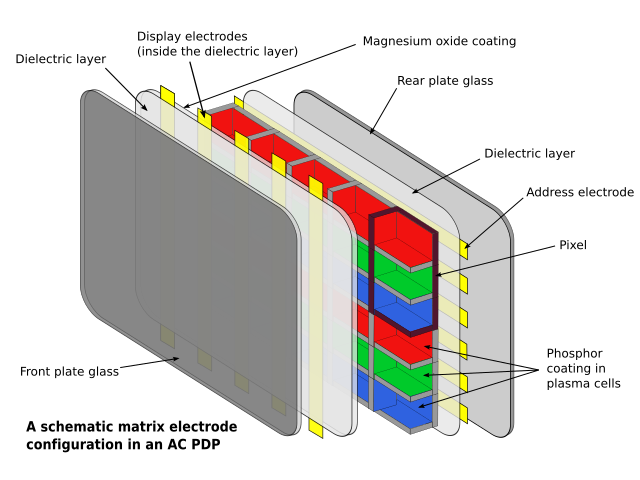
Plasma displays use a flat panel of glass, combined with xonon and neon rays, in order to provide a visual experience with high brightness, contrast and very vibrant colours. Plasma displays, unlike LCD displays, can be viewed from any angle without distortion.
Currently, plasma displays are only available in large sizes (typcially over 40 inches diagonal), which makes them fairly unsuitable as computer monitors. The technology used within also makes them incredibly heavy and cumbersome. As such, plasma technology is only marketed as a television technology in the current day.
Earlier plasma displays were very susceptible to image ‘burn-in’, which is the permanent outline of images on the screen, caused by uneven aging of the phosphors. In their more current guise, image burn-in is much less common due to phosphors being faster and a lot more efficient than earlier incarnations. However, burn-in is still not impossible, even with the advances in plasma technology.
Diagram of a plasma display
Projectors
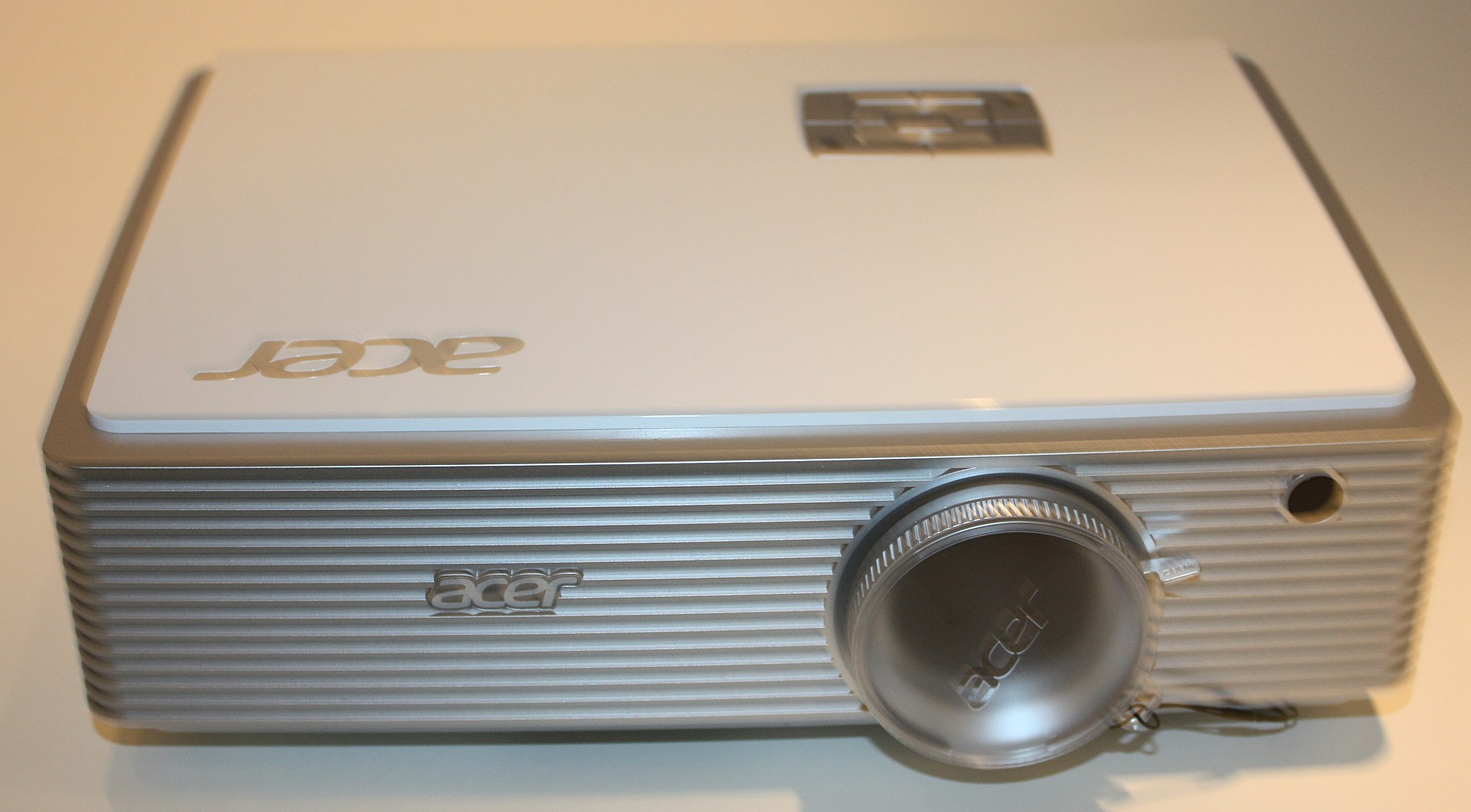
Video projectors are most often used to display a computers video output onto a much larger ‘screen’ surface (such as canvas or a white board) so that a larger audience is able to view it.
An example of a projector – An Acer model from 2012
Aerobatics comp in Turkey, starting with IVAO, new repaint & Special Operations
To start off this week, we’re doing a little aerobatic flying in Turkey (at LTAI) with the aid of a piece of software called Airshow Pilot. I’ll not spend too much time describing what the software does here, just click the there to read more about it. Suffice to say, that it’s the reason we’re starting this week off with a flight in an Airbus A321, flying out from London Heathrow (EGLL).
Another busy week, plus the usual new articles and Twitter highlights.
It’s been another busy week over here, with quite a number of articles being posted and developments to the site itself still happening. I’ve also managed to complete some more articles around CIT which will get posted over the next week or so.
The ‘Wonderful 100’ – 100 of the most used passwords
This is a simple list of the top 100 most common passwords. This list does change and move around regularly and will sometimes appear in a different order. Some passwords become more common, others less so and sometimes new passwords will appear (The release of Star Wars Episode VII, towards the end of 2015 caused a huge influx of related passwords in 2016, so steer clear of those too). This wonderful 100 have been around a while and, sadly, hasn’t changed much.
If you’re using any of these passwords for any of your accounts or devices, I’d strongly recommend that you change them immediately Warning: Contains explicit language
A look at some facts and figures about password security
It’s absolutely everywhere. Every account we have, every time we sign up for something online; “Choose a strong password”. The vast majority of us know that strong passwords are one of the most important aspects to keeping our lives in cyberspace secure, and yet, it seems we’re hell bent on continuing to do the virtual equivalent of ‘leaving the key in the lock’. Continue reading “We Still Don’t Protect Ourselves – Some Password Statistics”
A review of the Airshow Pilot addon payware for FSX
Airshow Pilot is, more or less, exactly what it says on the tin. All about flying aerobatic (or non-aerobatic, if you want a real challenge) aircraft through a variety of different and challenging maneuvers. If you’ve never tried aerobatics before, not to worry, the program comes complete with an entire range of figures to learn as you go.
Airshow Pilot is all about accurate, precision flying at air shows, whether you’re in an aerobatic Extra, a passenger airliner or a Hawk fast jet trainer – or any aircraft that you have installed in FSX!
The software itself works with FSX, unobtrusively loading additional information into the base software when you click to load your flight up or, if you’ve loaded Airshow Pilot up first, the software automatically loads FSX when you click to start a flight. Once you have your flight loaded into FSX and you’re on the ground, Airshow Pilot provides messages at the top of the screen to let you know where you need to place your aircraft to start the routine and continues to provide instructions to start the figures as you fly.
Once completed, it’ll be time to return to the ground. Once you’ve landed, FSX has to be closed so that the software can take the ‘in flight data’ and calculate the results. This is one of the few things that I don’t like about the program as it results in gaps in between each practice/competition attempt. When you’re flying a single maneuver in training, it can become a bit slow going.
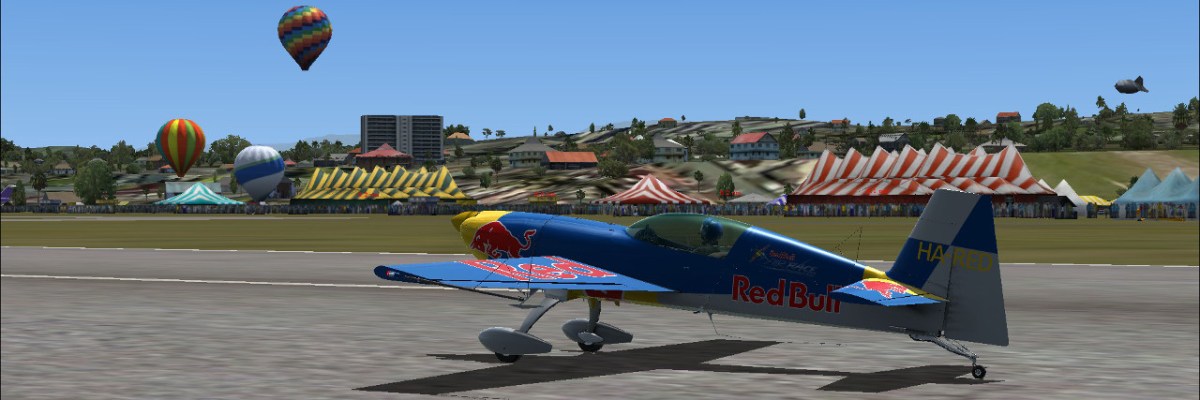
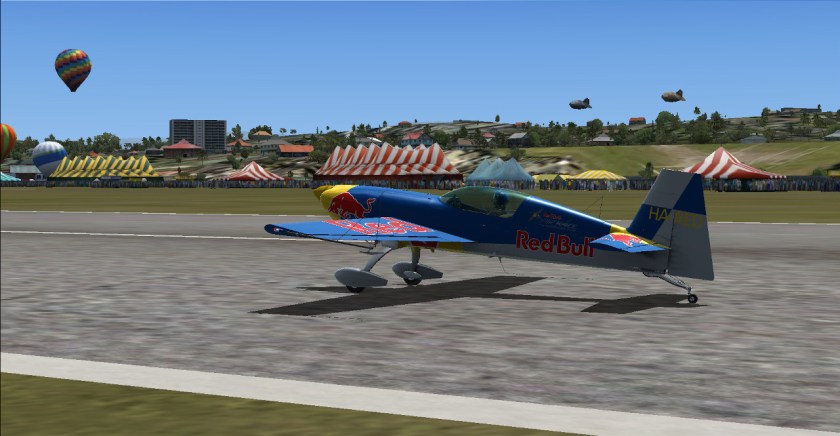
At an Airshow Pilot event with the crowds, balloons and (most importantly) fast food vendors for after your flight!
Additionally, in training and practice, the moves required are marked in the sky with small paper aeroplanes, placed in between ‘gates’, giving you a visual impression of what’s needed. Also, in regards to training, every different aerobatic maneuver can practiced individually, helping to hone those skills to perfection. Alternatively, you can choose the next event in the calender and practice the associated string of moves in one programme.
The Event Calender screen of Airshow Pilot
Maneuvers are grouped into difficulty two difficulty levels, ‘Sportman’ and ‘Advanced’, enabling you to choose how challenging you want things to be. There’s also a ‘Display Flight’ category, comprising of just two fly-past figures. These two figures can be flown in absolutely any aircraft you like, the bigger the better, so if you’ve ever wanted to ‘buzz’ the tower and crowds watching the performance, now is your chance.
The Training Page with a list of the possible figures
So far, looks like fun right?
Well, that’s not all of it. The software also comes complete with a set of editors, so you can create your own, completely custom, airshows that fly out of your favorite airport/airfield. I’m sorry to say that I’ve not found the time to really play much with that side of the software yet, but I may well revisit this post with an update when I get around to it.
That said, from what I have seen of the editing side it looks reasonably straight forwards, although I had one or two false starts. What I’ll say at this stage is that if you’re pretty much a beginner with how FSX works, it may be best to leave this for the time being and come back to it later.
One of the things I was looking forwards to trying out was the online competition part of the software. Unfortunately, it seems that the online servers are no longer maintained as I’ve been entirely unable to get a connection, receiving a 404 (not found) response when I try.
Conclusions
Pros
Great fun
Good aerobatic figures selection
Enjoyable Competition Calender
Cons
Online competitions are no longer available
FSX has to be closed after every Airshow Pilot flight
Associated editor programs aren’t very intuitive
Is it worth the $18 or so? Oh yes, definitely. If you enjoy the idea of aerobatci flying and want to have a go at learning the various figures, stringing them together in order to make a routine and, perhaps, even creating your own competitions, then this is definitely worth the low price.









 SpenceTec UK